Canceling a Contract
How to cancel an existing contract in The XO platform.
At any time an existing contract that was entered into The XO can be canceled. For a tutorial, scroll down to the bottom of the page for a video.
Canceling a Contract
Step 1
From the Homes & Lots page, go to the right panel for Homes and Homes Sites. Click on the icon highlighted in the RED box below for the Table View of the Homes and Home Sites.
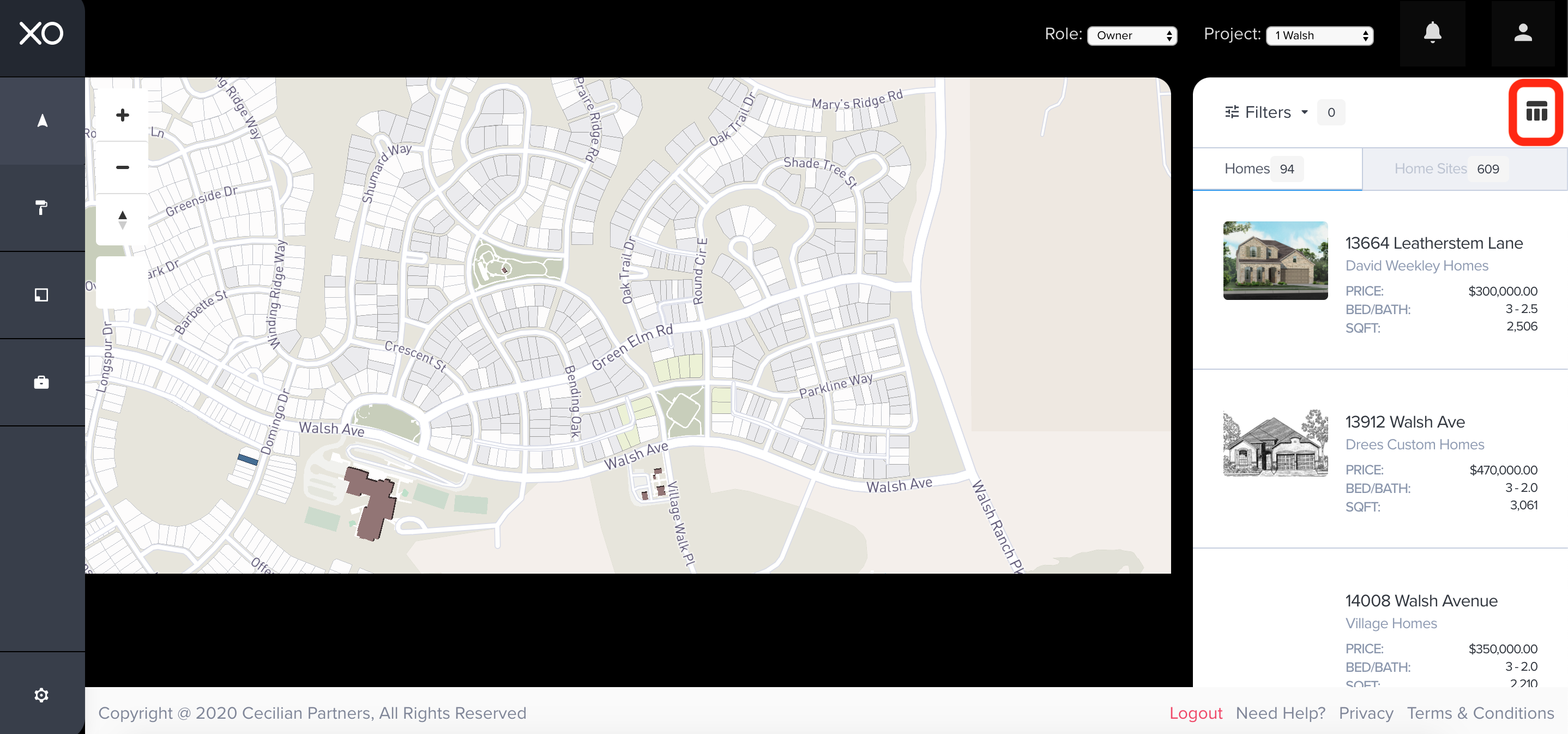
From the Homes & Lots page, go to the right panel for Homes and Homes Sites. Click on the icon highlighted in the RED box below for the Table View of the Homes and Home Sites.
Step 2
From the Table View of the Homes and Home Sites, select the heading labeled Contract highlighted in the RED box below.
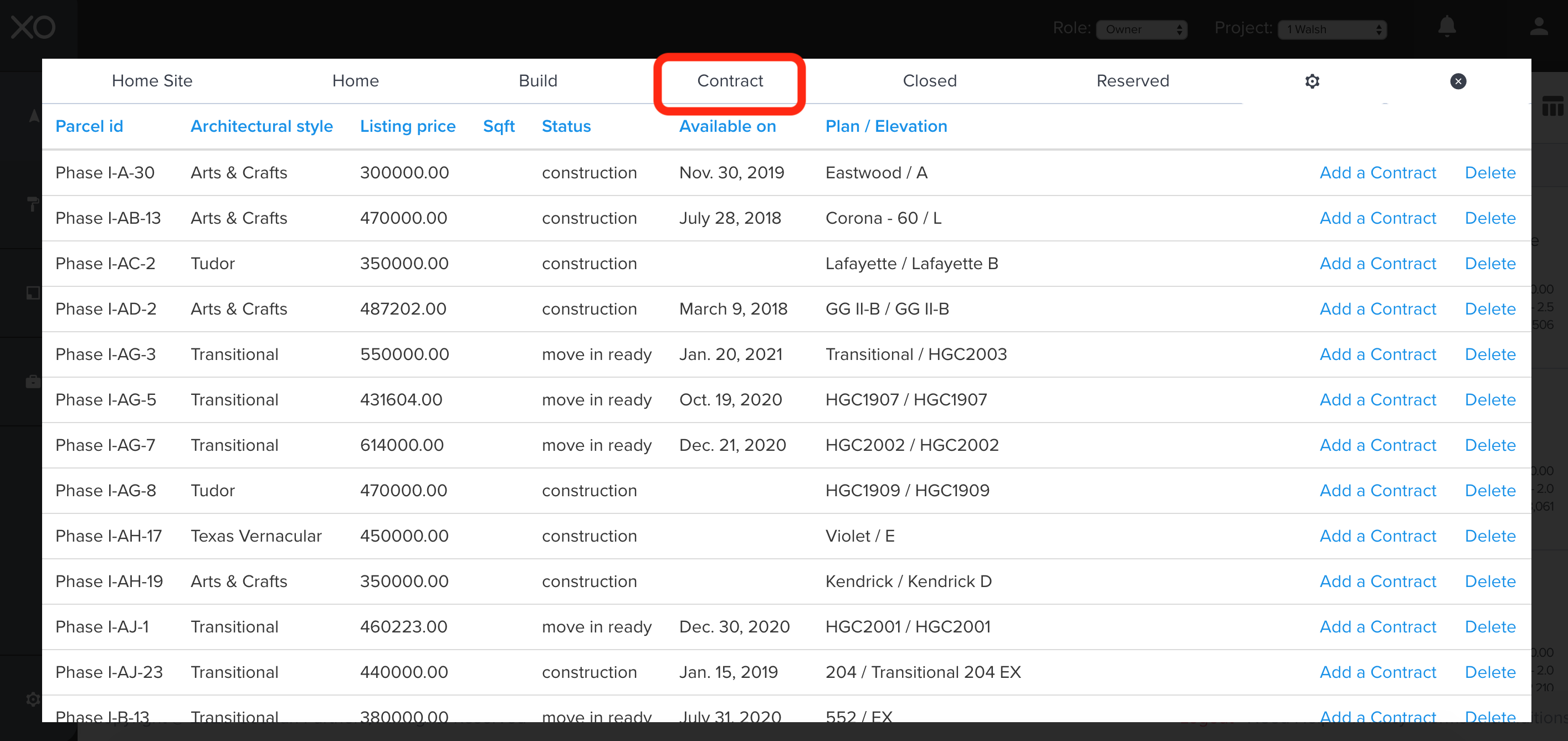
From the Table View of the Homes and Home Sites, select the heading labeled Contract highlighted in the RED box below.
Step 3
Locate the contract of the home that needs to be canceled. After locating the home, go to the right of the table and click Cancel highlighted in the RED box.
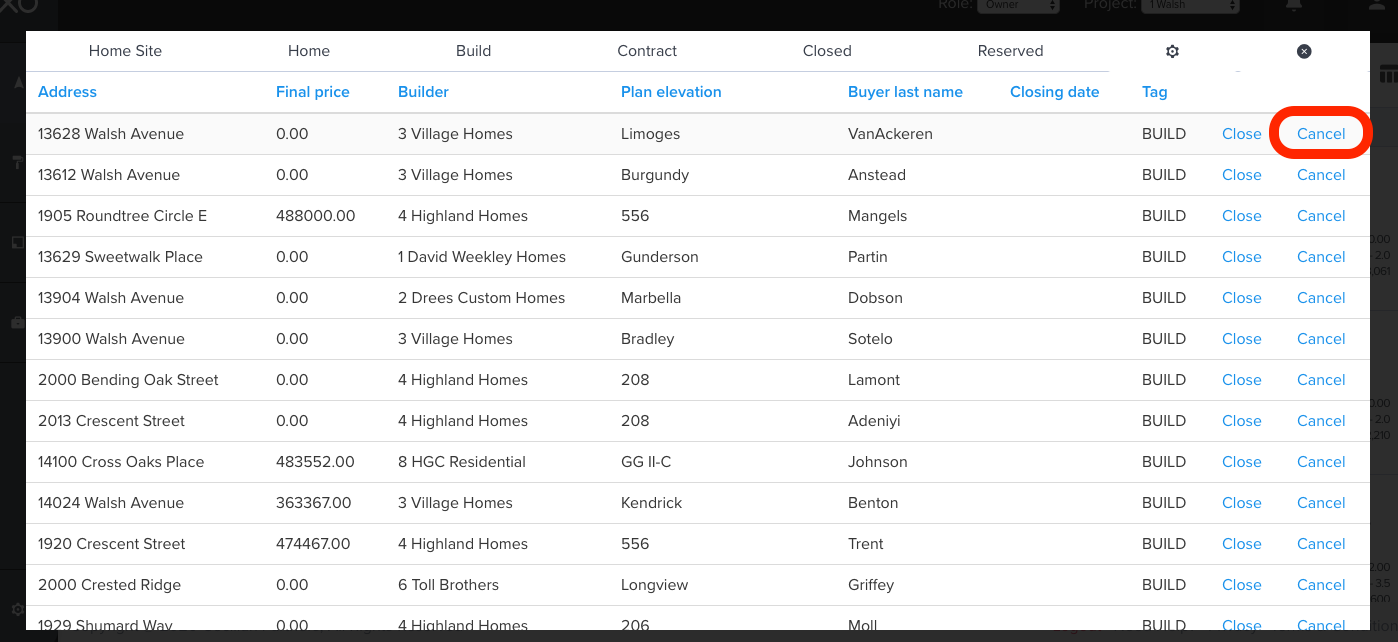
Locate the contract of the home that needs to be canceled. After locating the home, go to the right of the table and click Cancel highlighted in the RED box.
Step 4
Select a reason for the cancellation from the drop-down box. At this point, the users have the ability to transfer the home from a sale to a spec. After entering the necessary information below, click Cancel Sale in the red box (shown below).
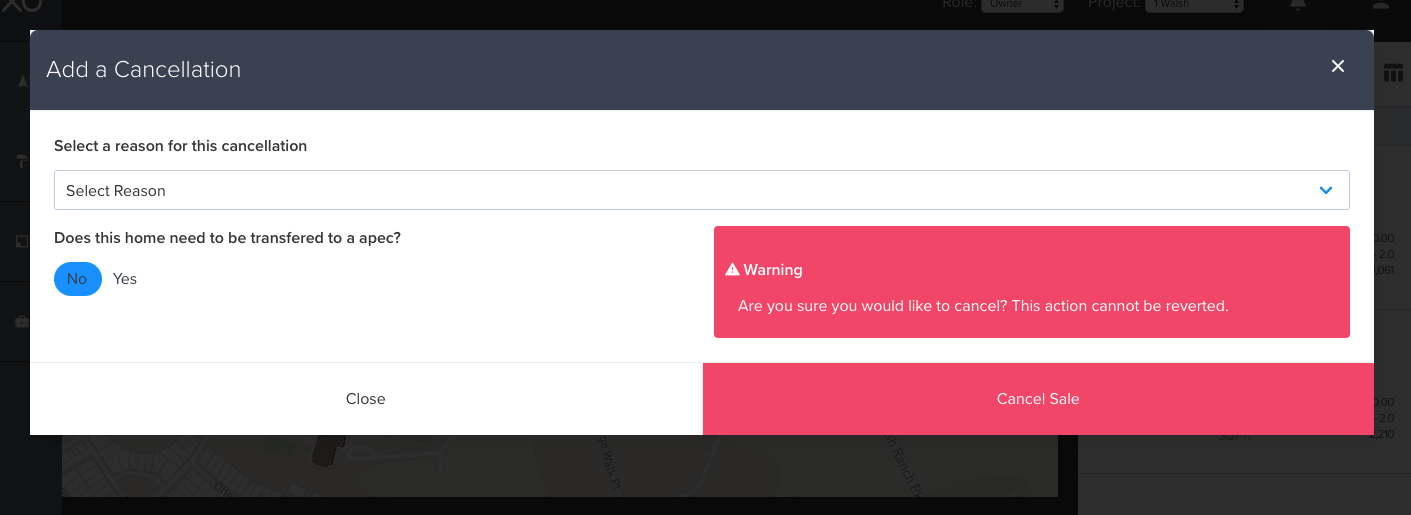
 Once you click that button, you have successfully CANCELLED the Contract
Select a reason for the cancellation from the drop-down box. At this point, the users have the ability to transfer the home from a sale to a spec. After entering the necessary information below, click Cancel Sale in the red box (shown below).
Once you click that button, you have successfully CANCELLED the Contract
Related Articles
How Do I Cancel a Contract?
How to cancel an existing contract in The XO platform. At any time an existing contract that was entered into The XO can be canceled. Canceling a Contract Step 1 From the Homes & Lots page, go to the right panel for Homes and Homes Sites. Click on ...Add a Contract to a Build
How to Add a Contract to a Build In the XO, once the Add a Build form is completed and the Architectural Submittal is approved a contract can be added to the Build. Adding a Contract to a Build Step 1 Below is the Homes & Lots page, go to the right ...Adding a Contract to a Spec Home
How to Add a Contract to a Spec Home In the XO, once the Add a Spec Home form is completed and the architectural submittal has been approved by the developer, a contract can be added to the Spec Home. Adding a Contract to a Spec Home Step 1 Below is ...How to Add a Contract to a Build?
How to Add a Contract to a Build In the XO, once the Add a Build form is completed and the Architectural Submittal is approved a contract can be added to the Build. Adding a Contract to a Build Step 1 Below is the Homes & Lots page, go to the right ...How to Add a Contract to a Spec Home?
How to Add a Contract to a Spec Home In the XO, once the Add a Spec Home form is completed and the architectural submittal has been approved by the developer, a contract can be added to the Spec Home. Adding a Contract to a Spec Home Step 1 Below is ...