Resubmitting a Plan/Elevation
How to resubmit a plan/elevation
Resubmitting a Plan/Elevation for Approval
If a Master Plan/Elevation was denied by the developer, users can resubmit the plan for approval in the XO. Simply follow the steps below.
Step 1
Go to the Master Plans page. 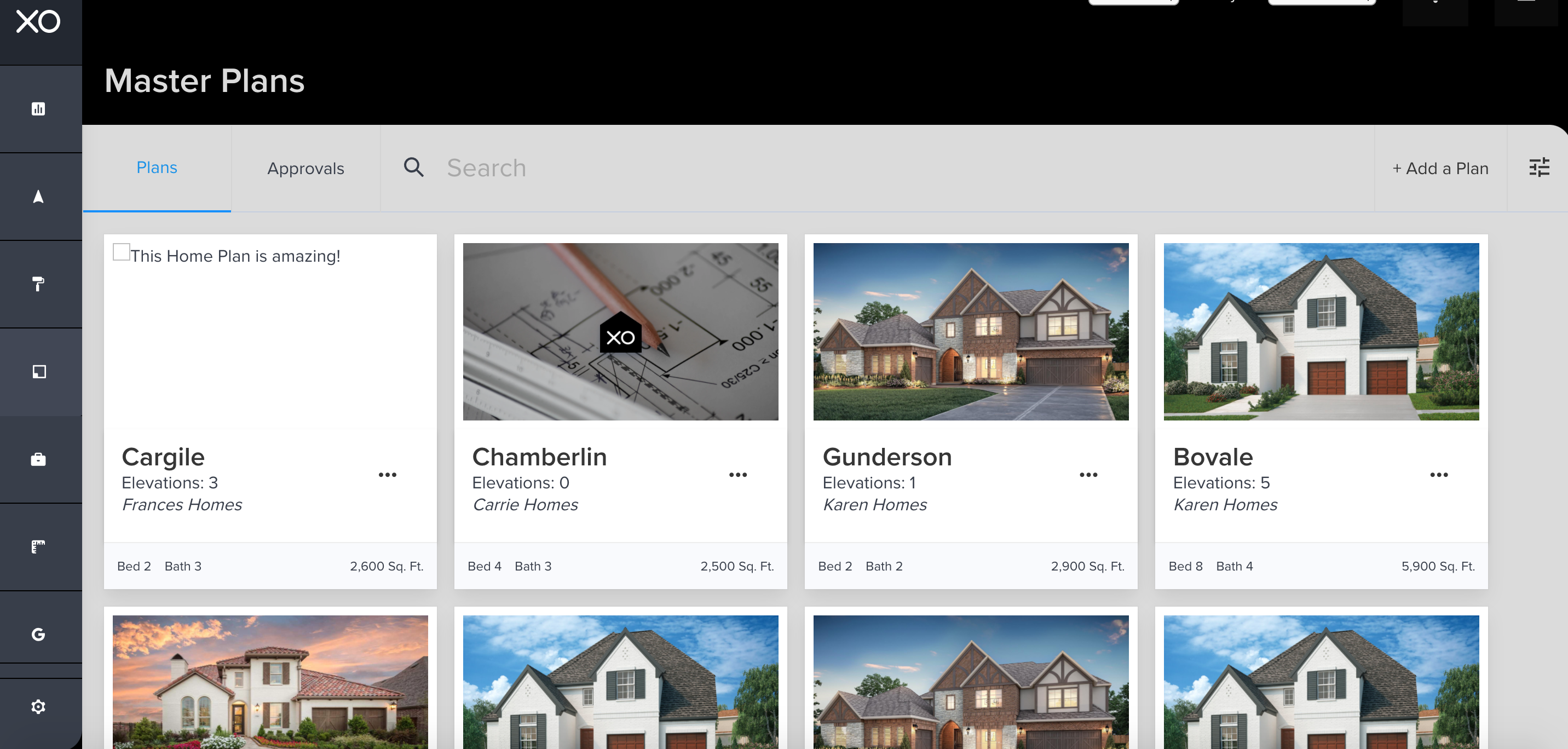
Step 2
Locate the specific plan or elevation that was denied. Notice the Approvals tab highlight in Red box. Click this tab for a list of each status.
Step 3
Scroll down to view the Plan/Elevation combination that was denied. All plan/elevation that needs to be resubmitted will be under the DENIED category.
Step 4
Next, select the pencil icon in order to edit the plan/elevation to be resubmitted.
Step 5
Based on the feedback provided as to why the plan/elevation was denied edit the necessary items in the sections (shown below). Once completed, click CONTINUE. Note if a section does not need to be updated simply click Continue to move to the next section.

The XO will automatically notify the developer that a plan/elevation has been resubmitted and requires feedback. Once the review is completed, the XO will then notify the user of the updated status.
Related Articles
How Do I Resubmit a Plan or Elevation?
How to resubmit a plan/elevation Resubmitting a Plan/Elevation for Approval If your Master Plan/Elevation was denied by the developer, no worries! You can use The XO to resubmit your plan for approval. Simply follow these steps: Step 1 Go to the ...Resubmitting an Architectural Submittal
If an architectural submittal has been denied, users can submit a revised version of an architectural submittal without losing the details of the original submittal. Note: scroll down to the bottom of the page for a video tutorial. Step 1 Find and ...What To Do If A Floor Plan Is Denied?
How to resubmit a plan/elevation Resubmitting a Plan/Elevation for Approval If a Master Plan/Elevation was denied by the developer, users can resubmit the plan for approval in the XO. Simply follow the steps below. Step 1 Go to the Master Plans ...Why Isn't a Specific Plan Showing?
The XO is designed to keep everything organized from specific home plans, models, and elevations that are available within the community. It also help streamline the sales process by running the anti-monotony or repetition rules for the community in ...Confirming a Plan/Elevation is Approved
Approval of Plan/Elevation It's always a good idea to double-check a submitted plan/elevation that has been approved by the developer for the community. In order to confirm, follow the steps provided below or scroll down to the bottom of the page to ...